


Logo Design
Creative Interior Design Logos: How to Make Your Brand Stand Out?
Topic started 2 years
Last Post 2 years ago
October 25


Imagine someone trying to steal your online store’s customer data or vandalize your company website with embarrassing content. A security breach can be a nightmare, damaging your reputation and costing you money. But don’t panic! The good news is, securing your website is possible. This step-by-step guide will equip you with the essential measures to keep your website safe and your visitors protected.
Here’s where we get down to business! These core security measures form the foundation of a safe website. Let’s explore them one by one:
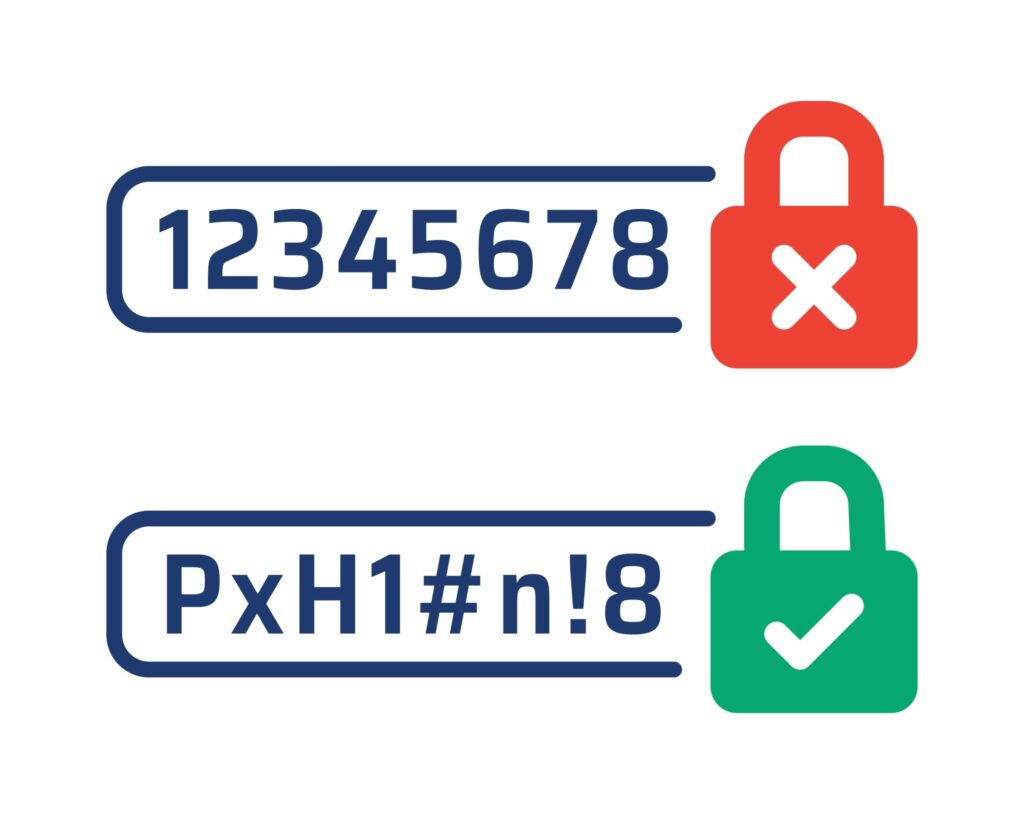
Fortress Passwords: Just like a bank vault, your website needs robust passwords. Enforce complex password creation with a mix of uppercase and lowercase letters, numbers, and symbols. Remember, avoid using personal information or dictionary words in passwords. Most importantly, use unique passwords for different accounts – don’t reuse the same one everywhere!
Two-Factor Authentication (2FA): Consider 2FA as an extra lock on your door. It adds another layer of security by requiring a secondary verification code, like one sent to your phone, when logging in. Even if an attacker manages to get your password, this makes it much more difficult for them to access your account.
Least Privilege Access: Not everyone on your website needs full access. Assign user roles with limited permissions based on their specific needs. This way, even if an attacker compromises a lower-level account, the damage they can do is minimized.
Just like a house needs regular maintenance to prevent leaks and cracks, your website requires consistent updates to stay secure. Here’s why keeping your website software current is crucial:
Patching Security Vulnerabilities: Software developers constantly identify and fix weaknesses in their code – these are called vulnerabilities. Hackers often exploit these vulnerabilities to gain unauthorized access to websites. By promptly installing updates for your Content Management System (CMS), plugins, and themes, you ensure these vulnerabilities are patched, effectively closing the doors for potential attackers.
New Security Features: Software updates often include not just bug fixes but also new security features. These features can be improved methods for user authentication, enhanced malware detection capabilities, or more robust data encryption. By keeping your website software up-to-date, you benefit from the latest security advancements, further strengthening your website’s defenses.
Improved Performance and Functionality: Software updates frequently address bugs and improve overall software performance. This can translate to a faster loading website and a smoother user experience for your visitors. Additionally, updates might introduce new features and functionalities that enhance your website’s capabilities.

Imagine a secret tunnel that scrambles information as it travels, making it unreadable to anyone eavesdropping. That’s what SSL certificates do for your website! Let’s delve into how they encrypt communication and enhance website security.
Think of an SSL certificate as a digital passport for your website. It verifies your website’s identity and enables a secure connection using a cryptographic protocol called Transport Layer Security (TLS). An SSL certificate contains your website’s public key, which is used to scramble data sent between your website and visitors’ browsers.
Here’s the magic: When a visitor tries to access your website with an SSL certificate, a secure connection is established. The visitor’s browser retrieves the public key from your website’s SSL certificate. The browser then uses this public key to encrypt any data it sends to your website, like login credentials or credit card information. This encrypted data becomes a jumbled mess of characters, unreadable to anyone who might intercept it. Once the data reaches your server, your server uses a corresponding private key (kept secret) to decrypt the information, allowing it to be processed securely.
There are several compelling reasons to equip your website with an SSL certificate:
Guarding Sensitive Data: Remember the secure tunnel analogy? That’s exactly what SSL certificates provide. They scramble information during transfer, protecting sensitive data like login credentials, credit card details, and any other private information exchanged between your website and visitors. This is especially important for e-commerce transactions and websites that require user logins.
Building Trust with Visitors: Imagine walking into a store with a broken lock on the door. It wouldn’t exactly inspire confidence, would it? The padlock symbol and “HTTPS” in the address bar, enabled by SSL certificates, act as a virtual trust signal for your website. Visitors see these indicators and feel more comfortable providing their information, knowing the connection is secure.
Boosting Your Search Ranking: Search engines like Google prioritize websites that offer a secure browsing experience. SSL certificates are one factor they consider when ranking websites. So, implementing an SSL certificate can give your website a slight edge in search engine optimization (SEO), potentially increasing your website’s visibility in search results.
Imagine having a security guard constantly patrolling your website, keeping a watchful eye for suspicious activity. Now imagine that same guard also has access to a fireproof safe, where a recent copy of everything valuable is stored. That’s the combined power of website monitoring and backups, two crucial components of a secure website.
Website monitoring tools act as your vigilant sentries, constantly scanning your website for threats. These tools can detect a variety of issues, including:
By employing website monitoring, you gain valuable insights into your website’s health and security. It’s like having a real-time report on potential threats, allowing you to take proactive steps to address them before they cause problems.
Unforeseen incidents can occur even with the best security measures in place. Perhaps a server crash wipes out your website data, or a hacker manages to breach your defenses. That’s where backups come in as your safety net. Backups are essentially copies of your website’s files and database. Having regular backups ensures you can quickly restore your website to its previous state if something goes wrong. Here’s what you need to remember about backups:
Website monitoring and backups work together to create a robust security strategy. Monitoring helps you detect threats early on, and backups provide a safety net in case of unforeseen circumstances. This layered approach ensures your website remains protected and minimizes downtime in the event of an issue.
Website security shouldn’t be a side quest! Let ONextStudio be your digital guardian. We offer website design services that prioritize security from the ground up. Our secure website builds integrate the latest security measures, giving you peace of mind and a website that’s a fortress against online threats. So you can focus on what matters most – crafting a stunning brand identity and killer marketing campaigns. Contact us today.
Topic started 2 years
Last Post 2 years ago