
Logo Design
Creative Interior Design Logos: How to Make Your Brand Stand Out?
Topic started 2 years
Last Post 2 years ago
October 25


Graphic design tools play a pivotal role in modern digital communication. Among the plethora of options available, Figma and Canva stand out as two popular choices. Both offer unique features and benefits, catering to different needs and preferences. In this comparative analysis, we delve into the intricacies of Figma and Canva to determine which reigns supreme in the realm of graphic design. Let’s compare Figma vs Canva.
Graphic design tools have become indispensable in today’s digital landscape. Figma and Canva are two prominent players in this arena, each offering distinct advantages. Figma is renowned for its collaborative features and intuitive interface, while Canva boasts a vast array of templates and user-friendly design tools. In this article, we’ll explore the strengths and weaknesses of both platforms to ascertain which is the superior choice for graphic designers.
Figma is a groundbreaking web-based application for graphic editing and user interface design, transforming the collaborative process for designers. It facilitates a wide range of design tasks, including website wireframing, mobile app interface creation, prototype development, and social media post design.
A standout feature is its web browser compatibility, granting users access to projects from any computer without the hassle of additional licenses or software downloads. Figma excels in real-time collaboration, enabling teams to work seamlessly together. Furthermore, its generous free plan makes it particularly appealing to individuals and small teams.
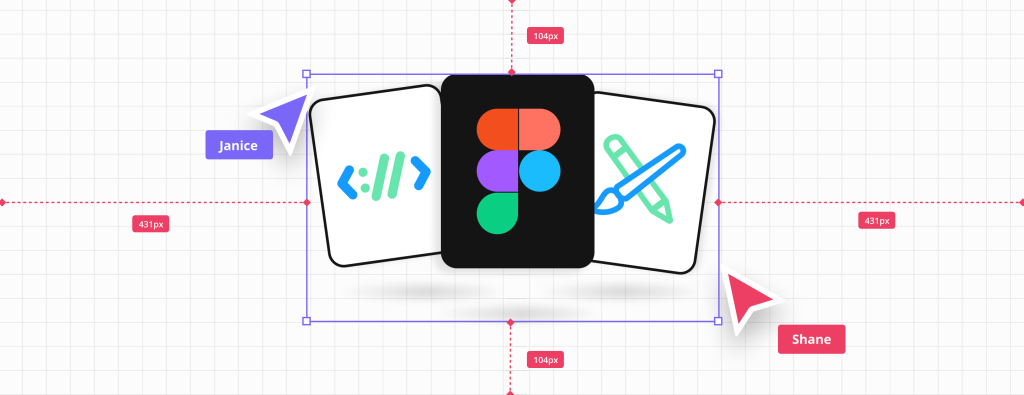
Using Figma for Graphic Design
Figma offers a sleek and intuitive user interface, making it easy for designers to create stunning visuals. Its real-time collaboration capabilities allow multiple users to work on the same project simultaneously, streamlining the design process. Additionally, Figma’s pricing structure, with both free and premium plans available, makes it accessible to designers of all levels.
Canva, introduced in 2013, is an online platform that simplifies graphic design tasks for users at any expertise level. Renowned for its intuitive drag-and-drop interface and an extensive collection of templates and design elements, Canva serves both individual and business requirements.
It offers an array of tools to craft social media graphics, presentations, posters, documents, and various visual content. With a mission to democratize design, Canva empowers users to produce professional-grade designs without requiring advanced graphic design skills. Whether for professional endeavors, educational pursuits, or personal projects, Canva delivers an accessible and adaptable set of design resources.

Using Canva for Graphic Design
Canva offers a wide range of templates and design elements, making it ideal for users with limited design experience. Its drag-and-drop interface allows for quick and easy customization, while its affordable pricing options cater to budget-conscious designers.
Figma presents a sleek and intuitive interface, designed to streamline the design process. Its minimalist layout and straightforward navigation make it easy for users to find and utilize the tools they need. The platform adopts a familiar design environment, resembling traditional graphic design software, which may appeal to experienced designers. With features like real-time collaboration and responsive design, Figma ensures a seamless workflow, even for complex projects.
In contrast, Canva prioritizes simplicity and accessibility in its interface design. The platform boasts a user-friendly drag-and-drop editor, allowing users to effortlessly create stunning designs without any prior design experience. Canva’s interface is visually appealing and straightforward, making it ideal for beginners and casual users. The platform offers a vast library of templates and design elements, easily accessible from the main interface, enabling users to quickly customize their projects with minimal effort.
Figma excels in fostering collaboration among team members. Its real-time editing and commenting features allow multiple users to work on the same project simultaneously. With live updates, team members can see changes as they happen, enhancing communication and streamlining the design process. Figma also offers version history and commenting tools, enabling seamless feedback and iteration. Additionally, Figma’s robust sharing options make it easy to collaborate with clients and stakeholders, ensuring everyone stays aligned throughout the design process.
While Canva supports collaboration to a certain extent, its features are more limited compared to Figma. Users can share designs with team members via shared folders and links, allowing for feedback and collaboration. However, Canva lacks the real-time editing capabilities of Figma, which can slow down the collaborative process. Despite this, Canva’s simplicity and ease of use make it accessible for teams looking to collaborate on design projects without the need for advanced tools or technical expertise.

Figma offers a flexible pricing model, catering to both individual users and teams. For individuals, Figma provides a free tier with limited features, making it ideal for solo designers or small projects. However, for teams or professionals requiring advanced collaboration and design capabilities, Figma offers paid plans starting at $12 per editor per month. These plans unlock features such as unlimited projects, version history, and enhanced team collaboration tools.
Canva provides a similar approach to pricing, with options tailored to individual users, businesses, and educators. The platform offers a free tier with basic features suitable for personal use. For businesses and organizations, Canva offers premium plans starting at $12.95 per user per month. These plans include additional features such as brand kit management, advanced collaboration tools, and access to a larger library of templates and design elements.
Figma Case Studies:
1. Startup Collaboration: A tech startup utilized Figma to streamline their design process across distributed teams. With Figma’s real-time collaboration features, designers and developers could work seamlessly on UI/UX designs, resulting in faster iterations and improved product quality.
2. Agency Efficiency: A design agency integrated Figma into their workflow to enhance client collaboration. By inviting clients to collaborate directly within Figma, the agency reduced communication overhead and received instant feedback, leading to smoother project deliveries and increased client satisfaction.
Canva Case Studies:
1. Social Media Marketing: A small business owner leveraged Canva’s intuitive interface to create eye-catching social media graphics. With Canva’s extensive library of templates and design elements, they were able to maintain a consistent brand identity across various platforms, resulting in increased engagement and brand awareness.
2. Educational Resources: A teacher used Canva to design educational materials for their classroom. Canva’s user-friendly tools allowed them to create visually appealing presentations, worksheets, and posters without the need for graphic design expertise, enhancing student engagement and learning outcomes.

User Experiences:
1. Figma: Users praise Figma for its collaborative features, citing its ability to facilitate teamwork and streamline the design process. They appreciate the real-time editing capabilities and seamless integration with other tools, enabling efficient collaboration across diverse teams and projects.
2. Canva: Users commend Canva for its simplicity and versatility, highlighting its extensive library of templates and easy-to-use design tools. They value Canva’s accessibility, allowing them to create professional-quality designs without prior design experience, making it ideal for both personal and business use.
In conclusion, the choice between Figma vs Canva ultimately depends on the specific requirements and preferences of the user. While Figma shines in terms of collaboration and advanced features, Canva appeals to users seeking simplicity and a vast library of templates. To determine the best fit for your graphic design endeavors, it’s essential to evaluate the strengths and weaknesses of each platform carefully.
The battle between Figma vs Canva continues, but with ONextStudio, you’re always a winner. Explore our suite of services, including Web Design, Branding, and Marketing Design, to transform your vision into reality. Contact us now to grow your business.
Topic started 2 years
Last Post 2 years ago